Living with scoliosis can feel like a constant balancing act, especially when your day involves hours of sitting. That nagging ache, the uneven pressure, the feeling that you just can’t get comfortable… sound familiar? If you’re wondering Can An Ergonomic Chair Help With Scoliosis, you’ve landed in the right place. The short answer is a resounding yes. While it’s not a medical cure, the right chair can be a game-changing ally in managing your daily comfort and supporting your spinal health.
Let’s be real, a standard office chair just doesn’t cut it. It’s like trying to fit a square peg in a round hole; it wasn’t designed with your unique spinal curve in mind. An ergonomic chair, on the other hand, is built on the principle of adaptability. It’s designed to conform to you, not the other way around. This article is your deep dive into how making this one smart switch can dramatically improve your workday and your well-being.
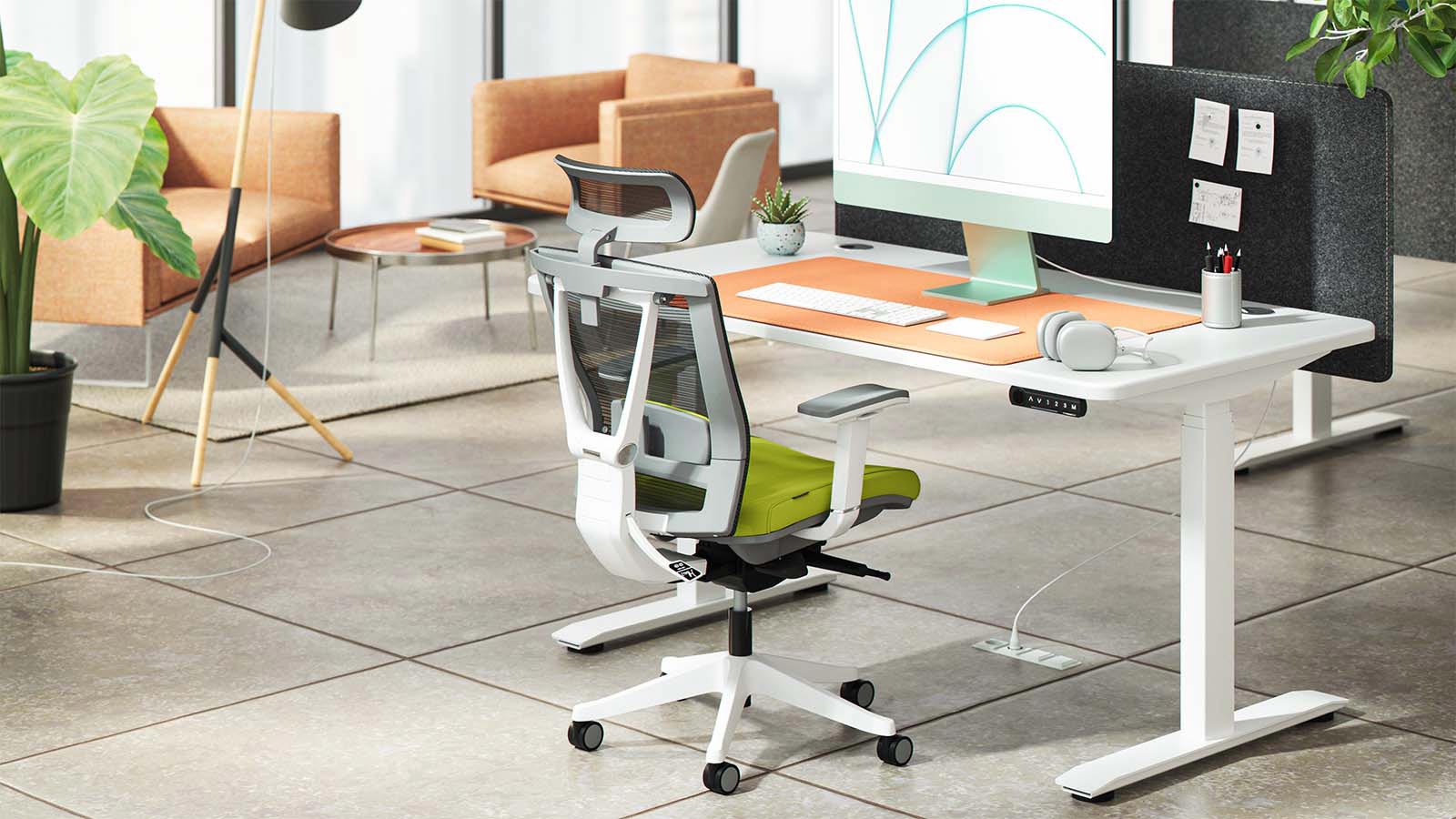
First, What Exactly Is Scoliosis and How Does Sitting Affect It?
Before we jump into the solution, let’s quickly get on the same page. Scoliosis is a condition where the spine has a sideways curve, often in an “S” or “C” shape. This isn’t just a matter of posture; it’s a structural difference. For someone with scoliosis, prolonged sitting in a non-supportive chair can be a recipe for discomfort. It can lead to:
- Uneven Pressure: Gravity pulls down on your body, and a flat, unsupportive chair can concentrate that pressure on one side, exacerbating pain in your hips, back, and shoulders.
- Muscle Fatigue: Your back muscles are already working overtime to support your curved spine. A bad chair forces them to work even harder, leading to fatigue, stiffness, and chronic pain.
- Worsened Posture: Without proper support, it’s easy to slouch or lean, which can further strain your spine and the surrounding muscles.
Think of it like a car with misaligned wheels. You can still drive it, but it pulls to one side, wears out the tires unevenly, and puts extra stress on the entire vehicle. A standard chair is like ignoring the problem, while an ergonomic chair is like getting that perfect alignment.
So, How Can an Ergonomic Chair Help with Scoliosis?
An ergonomic chair can significantly help with scoliosis by providing customized support that reduces strain on the spine and encourages a more balanced posture. It doesn’t straighten the spine, but it creates an environment where the muscles work less, pressure is distributed evenly, and comfort is maximized, allowing for longer periods of pain-free sitting.
The magic of an ergonomic chair lies in its adjustability. It acknowledges that every body—and every spinal curve—is different. By allowing you to fine-tune its components, you can create a personalized support system that cradles your body in the most optimal position for you. This reduces the daily grind on your back and frees you up to focus on your work, not your pain.
The Game-Changing Features: What to Look for in a Chair for Scoliosis
Not all ergonomic chairs are created equal. When you’re managing scoliosis, certain features become non-negotiable. Here’s your checklist for finding the perfect throne.
- Superior, Adjustable Lumbar Support: This is your number one priority. The lumbar (lower back) region is the foundation of your upper spine. A top-tier ergonomic chair will have lumbar support that is adjustable in height and depth. This allows you to position the support precisely into the curve of your lower back, which helps maintain a healthier overall spinal alignment and takes a significant load off your back muscles.
- 4D Adjustable Armrests: Why 4D? Because they move up/down, forward/backward, side-to-side, and can pivot. For someone with scoliosis, uneven shoulder height is common. 4D armrests allow you to set each armrest to the perfect height, supporting your arms and taking the strain off your shoulders and upper back. This prevents you from hunching or leaning.
- Seat Depth Adjustment: This feature lets you slide the seat pan forward or backward. The ideal position allows you to sit with your back fully against the backrest while maintaining a gap of about two to three fingers between the front of the seat and the back of your knees. This ensures proper circulation and support for your thighs without putting pressure on your pelvis.
- Adjustable Backrest Height and Tilt: The ability to raise or lower the entire backrest ensures that the built-in curves of the chair (especially the lumbar support) align perfectly with your spine. The tilt and recline function allows you to change your position throughout the day, shifting pressure points and reducing static muscle load.
- A High-Quality Seat Cushion: Look for a high-density foam cushion with a “waterfall” edge (where the front of the seat curves downward). This design reduces pressure on the back of your thighs, promoting better blood flow.
“Think of an ergonomic chair as a daily support system for your spine. While it won’t correct the curvature of scoliosis, it can dramatically reduce the secondary pain and muscle fatigue that comes from unsupported sitting. It’s a crucial piece of the puzzle in a holistic management plan.” – Dr. Emily Carter, Physical Therapist.
Setting Up Your Ergonomic Chair for Scoliosis: A Step-by-Step Guide
Getting a great chair is only half the battle; setting it up correctly is what unlocks its full potential. Follow these steps, but remember the golden rule: listen to your body.
- Start with Your Feet: Adjust the chair height so your feet are flat on the floor and your knees are at a roughly 90-degree angle. Your thighs should be parallel to the floor. If your feet don’t reach, use a footrest.
- Set the Seat Depth: Slide the seat pan so you have that two-to-three-finger gap between the seat edge and the back of your knees. Your back should be resting comfortably against the backrest.
- Position the Lumbar Support: This is critical. Adjust the lumbar support’s height and depth so it fits snugly into the natural curve of your lower back. It should feel supportive, not pushy.
- Adjust the Armrests: Lower or raise each armrest individually so your shoulders are relaxed and your elbows are bent at about a 90-degree angle when your hands are on your desk. Your shoulders should not be hunched up to your ears!
- Fine-Tune the Backrest: Set the backrest recline tension so you can lean back with gentle support but aren’t pushed forward aggressively. If your chair has a backrest height adjustment, move it until it feels like it’s contouring to your entire back.
Ergonomic Chairs vs. Regular Office Chairs: A Tale of Two Spines
The difference is night and day, especially for someone with scoliosis.
| Feature | Ergonomic Chair | Standard Office Chair |
|---|---|---|
| Lumbar Support | Highly adjustable (height, depth) to fit your unique curve. | Often a fixed, padded bump or none at all. One-size-fits-none. |
| Adjustability | Nearly every component can be tailored to your body. | Limited to height and sometimes tilt. Lacks personalization. |
| Armrests | Multi-directional (e.g., 4D) to support uneven shoulders. | Fixed or only height-adjustable, forcing unnatural shoulder posture. |
| Long-Term Impact | Reduces pain, minimizes muscle fatigue, and promotes a balanced posture. | Can exacerbate pain, increase muscle strain, and encourage slouching. |
Frequently Asked Questions (FAQ)
Can an ergonomic chair cure scoliosis?
No, an ergonomic chair cannot cure or correct the spinal curvature of scoliosis. It is a powerful management tool designed to provide support, reduce pain, and prevent further discomfort caused by poor sitting posture. It should be used as part of a comprehensive care plan recommended by a medical professional.
How long does it take to get used to an ergonomic chair?
It can take anywhere from a few days to two weeks for your body to adjust. Initially, it might feel strange because it’s actively correcting your posture and engaging different muscles. Stick with it, making small adjustments as needed until you find your sweet spot.
Are gaming chairs good for scoliosis?
While some high-end gaming chairs have ergonomic features, many prioritize aesthetics with exaggerated “racing seat” wings that can restrict movement and offer poor lumbar support. A dedicated, high-quality office ergonomic chair is almost always a better and more clinically sound choice for managing scoliosis.
What is the single most important feature for scoliosis?
Adjustable lumbar support is arguably the most critical feature. Properly supporting the lower back helps to align the rest of the spine and can drastically reduce the strain and pain associated with long hours of sitting.
Do I still need to take breaks if I have a good chair?
Absolutely. Even the best chair in the world can’t replace the need for movement. The rule of thumb is to get up, stretch, and walk around for a few minutes at least once every hour. Your body was designed to move!
Your Back Will Thank You
Navigating the world with scoliosis comes with its own set of challenges, but your workspace shouldn’t be one of them. Investing in a high-quality ergonomic chair isn’t a luxury; it’s a fundamental investment in your daily health and productivity. The answer to can an ergonomic chair help with scoliosis is a clear yes—it empowers you to take control of your comfort. By providing tailored support where you need it most, it helps turn your chair from a source of pain into a sanctuary of support. Make the switch, and give your spine the backup it deserves.