Welcome to the new era of work, where the commute is a short walk from your bedroom to your desk. While the perks are great, many of us have made a painful discovery: that dining chair just isn’t cutting it. If you’re looking for the Best Task Chair For Home Office setups, you’re not just shopping for furniture; you’re making a crucial investment in your health and productivity. I’ve spent years guiding people through this process, and let me tell you, the difference a great chair makes is night and day. Forget the nagging back pain and restless afternoons—let’s find you a chair that actually works for you.
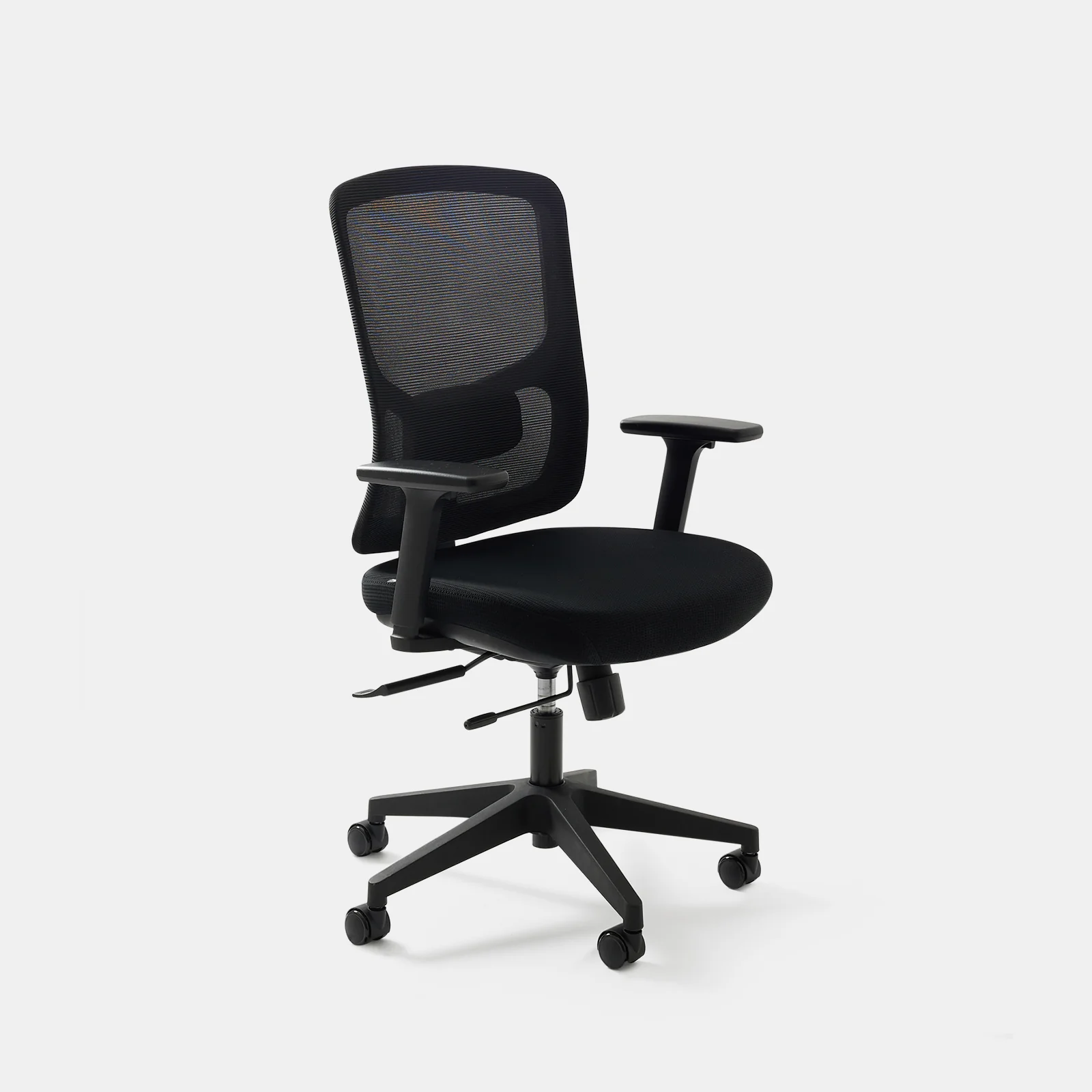
What Exactly Is an Ergonomic Chair and Why Do You Need One?
Let’s cut through the jargon. At its core, an ergonomic chair is a chair designed to support the human body in a healthy, neutral posture. Think of it less like a simple seat and more like a high-performance tool for your work. A regular chair forces your body to adapt to it, often leading to slouching and strain. An ergonomic chair does the opposite: it adapts to you.
Why is this a big deal? The average remote worker sits for over eight hours a day. Doing that in a chair that fights your body’s natural curves is like trying to run a marathon in flip-flops. You might manage for a little while, but eventually, you’re going to pay the price in the form of back pain, neck stiffness, and even reduced circulation.
The Real-World Benefits: More Than Just Comfort
Investing in a proper ergonomic chair isn’t a luxury; it’s a necessity for anyone with a desk job. The benefits ripple through every aspect of your workday and beyond.
- Posture Correction and Pain Relief: This is the big one. A quality chair provides dynamic support, especially for your lower back (the lumbar region), which encourages your spine to maintain its natural “S” curve. This single factor can dramatically reduce chronic back and neck pain.
- Boosted Productivity and Focus: When you’re not constantly shifting around trying to get comfortable or distracted by a dull ache in your back, your mind is free to focus on the task at hand. I’ve seen clients report a significant jump in their concentration levels after making the switch.
- Improved Circulation: Poor posture can compress blood vessels. Ergonomic chairs, with features like a waterfall seat edge (a gentle downward slope at the front), reduce pressure on the back of your thighs, promoting better blood flow to your lower legs.
- Long-Term Health Investment: Think of this as preventative care. Good posture and reduced physical strain today mean fewer visits to the physical therapist and a lower risk of musculoskeletal issues down the line.
“I often tell my patients that the single most impactful change they can make to their work environment is their chair. It’s the foundation of a healthy posture. You wouldn’t build a house on a shaky foundation, so why build your workday on one?” – Dr. Emily Carter, Physical Therapist
Key Features of the Best Task Chair for Home Office
So, you’re convinced. But what do you actually look for? Not all chairs that call themselves “ergonomic” are created equal. Here are the non-negotiable features you should demand from the best task chair for home office use.
Adjustable Lumbar Support: Your Back’s Best Friend
This isn’t just a simple cushion. True lumbar support is adjustable. You should be able to move it up and down and, in higher-end models, change its depth to perfectly match the curve of your lower back. This is the single most important feature for preventing lower back pain.
Armrests: The Unsung Heroes
Armrests do more than just give you a place to put your arms. Properly adjusted, they take the strain off your shoulders and neck. Look for armrests that are at least height-adjustable. The best ones also adjust for width, depth, and pivot angle (often called “4D armrests”). Your elbows should rest comfortably at a 90-degree angle.
Seat Height and Depth
- Seat Height: Your feet should be flat on the floor with your knees at roughly a 90-degree angle. A pneumatic lever is standard for this.
- Seat Depth: This is a crucial, often overlooked feature. When sitting all the way back, you should be able to fit two to three fingers between the edge of the seat and the back of your knees. A seat that’s too deep will cut off circulation, while one that’s too shallow won’t provide enough support.
Quality Materials and Build
A great chair uses breathable mesh or high-quality fabric to keep you cool and comfortable. The base should be sturdy (usually five-star) with smooth-rolling casters that are appropriate for your flooring type (hardwood or carpet).
Bảng trống.How to Set Up Your New Ergonomic Chair Like a Pro
Getting the chair is only half the battle. Setting it up correctly is what unlocks its full potential. Follow these steps, in order, for a perfect fit.
- Set Your Seat Height: Stand in front of the chair. Adjust the height until the highest point of the seat is just below your kneecap. Now when you sit down, your feet should be flat on the floor.
- Adjust the Seat Depth: Sit all the way back in the chair so your back is firmly against the backrest. Slide the seat pan forward or backward until you have that two-to-three-finger gap between the seat edge and the back of your knees.
- Tune the Lumbar Support: With your back against the backrest, adjust the lumbar support’s height so it fits snugly into the natural curve of your lower back. It should feel supportive, not pushy.
- Position the Armrests: Adjust the armrest height so your shoulders are relaxed—not hunched up or drooping. Your elbows should form a gentle 90-degree angle. If they’re also adjustable for width, bring them in so your arms can rest naturally without you having to reach outwards.
- Set the Recline Tension: A good chair should allow you to recline with a gentle push, but it shouldn’t send you flying backward. Adjust the tension knob (usually under the seat) until you find a comfortable balance of support and movement.
Common Mistakes to Avoid When Buying and Using Your Chair
- Choosing Based on Looks Alone: A chair might look sleek and modern, but if it lacks key adjustability, it’s just an expensive piece of sculpture. Function always comes before form.
- Ignoring a Trial Period or Return Policy: Your body needs time to adjust to a new chair. A reputable seller will offer a trial period so you can be sure it’s the right fit for you. Don’t buy a chair you can’t return.
- “Set It and Forget It” Mentality: Your body’s needs can change throughout the day. Don’t be afraid to make small adjustments to your chair as you work. The best posture is a dynamic one.
Ergonomic Chair vs. Regular Office Chair: What’s the Difference?
To put it all in perspective, here’s a quick comparison.
| Feature | Ergonomic Task Chair | Regular Office Chair |
|---|---|---|
| Adjustability | Highly adjustable (height, depth, arms, lumbar) | Minimal, often only height adjustment |
| Lumbar Support | Dedicated, adjustable support for the lower back | Often just a curved backrest with no real support |
| Design Philosophy | Designed to fit the user’s body | Forces the user’s body to fit the chair |
| Long-Term Impact | Promotes good health, reduces pain, boosts focus | Can contribute to poor posture and chronic pain |
| Price | Higher initial investment | Lower initial cost |
Frequently Asked Questions (FAQ)
Q: How much should I spend on a good ergonomic chair?
A: While you can find budget options, a high-quality, durable ergonomic chair is an investment. Expect to spend anywhere from $300 to over $1,000. Think of the cost spread over its lifespan (often 10+ years) and the money saved on potential medical bills.
Q: Can an ergonomic chair really fix my back pain?
A: It can be a massive help. While it’s not a magic cure for pre-existing medical conditions, a properly adjusted ergonomic chair can alleviate and prevent pain caused by poor posture and lack of support. It’s a critical part of a holistic approach to back health.
Q: How long do ergonomic chairs last?
A: A well-built ergonomic chair from a reputable brand can easily last 7-15 years, and they often come with long warranties to back that up. This long-term value is a key reason for the higher initial cost.
Q: Is a gaming chair a good alternative for a home office?
A: Generally, no. Gaming chairs are often designed for aesthetics and a reclined posture, prioritizing a “cool” look over science-backed ergonomic principles. A dedicated task chair will almost always offer better, more adjustable support for focused work.
Q: What is the single most important feature to look for?
A: If I had to pick just one, it would be adjustable lumbar support. The lower back is where most sitting-related problems start, and having support that is tailored specifically to your spine’s curve is a game-changer.
Your Health is Worth the Investment
Choosing the best task chair for home office use is one of the most significant decisions you can make for your professional life and personal well-being. It’s about moving from a mindset of enduring your workday to one of thriving in it. By understanding what makes a chair truly ergonomic and how to tailor it to your body, you’re not just buying a piece of furniture—you’re investing in years of comfort, focus, and better health. Don’t let a bad chair dictate how you feel. Your body will thank you for it.