So, you’re the proud owner of a Steelcase chair. You’ve likely spent countless hours supported by its brilliant ergonomic design, whether you’re powering through deadlines or navigating an intense gaming session. But then the day comes when you need to order a replacement part, check your warranty, or maybe even sell it to upgrade. You’re asked for the model number, and suddenly you’re drawing a blank. If you’re wondering How To Find The Model Number On A Steelcase Chair, you’ve come to the right place. Think of this as your treasure map to unlocking all the vital information about your trusty office companion. It’s easier than you think, and knowing this little detail can save you a world of hassle down the road.
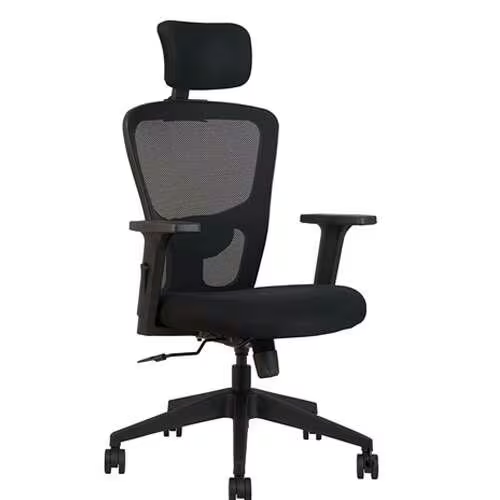
Why Does Your Steelcase Model Number Even Matter?
Before we get into the “how,” let’s quickly touch on the “why.” You might think it’s just a random string of numbers, but that little code is the key to everything. It’s like the VIN on a car.
- Warranty Claims: Steelcase offers one of the best warranties in the business, but to process a claim, they need to know exactly which chair you have. The model and serial number are your ticket to getting a repair or replacement.
- Ordering the Right Parts: Need a new caster, arm pad, or gas cylinder? The chair world isn’t one-size-fits-all. The model number ensures you get the exact part designed for your specific chair, preventing wobbly wheels or armrests that don’t quite fit.
- Resale Value: When selling your chair, being able to state, “This is a Steelcase Leap V2, model 462,” is far more compelling than “a grey office chair.” It proves its authenticity and helps you command a fair price.
- Finding Manuals and Guides: Want to learn how to use that one mysterious lever you’ve never touched? The model number lets you pull up the exact user manual and adjustment guide online.
The Ultimate Guide: How to Find the Model Number on a Steelcase Chair
Alright, let’s get down to business. In over 95% of cases, finding your chair’s identity is a simple, 30-second task. You just need to know where to look.
The Goldmine: A Label Underneath the Seat
The most common and reliable place to find all the information you need is on a sticker located on the underside of the chair’s seat pan. Steelcase has been putting these labels on their chairs for decades.
Here’s a step-by-step guide to locating it:
- Safety First: Move your chair to an open area with good lighting. If it’s a heavy model, be careful. Don’t strain your back trying to flip it over—that would be a bit ironic, wouldn’t it?
- Flip or Tilt: Gently tilt the chair forward so the backrest touches the floor, or carefully lay it on its side. This will give you a clear view of the entire underside.
- Scan the Area: Look for a white or silver sticker, usually about the size of a credit card or a large postage stamp. It’s typically stuck to the plastic or metal frame directly beneath the seat cushion.
- Identify the Information: Once you’ve found the label, you’ll see several pieces of information. It can look a bit technical, but it’s straightforward. You are looking for a line that is often labeled “Model Number,” “P/N” (Part Number), or is simply a distinct code like “462” or “435.”
As ergonomics consultant John Chen often says, “Knowing your chair is the first step to truly owning your workspace. The model number is the key that unlocks its full potential for support and longevity.”
What If the Label is Missing or Unreadable?
Don’t panic! It happens. After years of use, labels can peel off, fade, or get damaged. You’re not out of luck. It just means we have to play detective.
- Check the Mechanism: Sometimes, identifying marks or partial numbers are stamped or molded directly into the plastic or metal of the chair’s control mechanism.
- Look for Distinctive Features: This is where a little visual comparison comes in handy. Each Steelcase model has a unique silhouette and features.
- Does it have a “LiveBack” system where the back flexes with you? You might have a Leap.
- Does it have incredibly unique, 360-degree adjustable armrests that look almost futuristic? That’s the signature of a Gesture.
- Is the backrest a sleek, transparent mesh with a distinctive Y-shaped frame? You’re likely sitting in a Think chair.
- Compare Online: Head to the official Steelcase website or a trusted reseller’s page and compare your chair to the pictures of their main models (Leap, Gesture, Amia, Series 1 & 2, Think). Pay close attention to the shape of the backrest, the armrest adjustment controls, and the levers under the seat.
Decoding the Steelcase Label: What Does It All Mean?
When you find that coveted label, you’ll see more than just the model number. Here’s a quick breakdown of what you’re looking at:
- Model Number: This identifies the product line. For example, the famous Steelcase Leap V2 chair often has the model number 46216179. The first three digits, 462, are the most important part, as they signify the Leap family.
- Serial Number: This is a unique identifier for your specific chair. No two chairs have the same one. This is often required for warranty claims.
- Manufacture Date: This is crucial. It tells you when your chair was born. Since Steelcase warranties run from the date of manufacture, this date will instantly tell you if you’re still under coverage.
- Order Number (SO): This refers to the original sales order, which can also be used by Steelcase to track the chair’s history.
Common Steelcase Models and Identification Tips
While the under-seat label is your best bet, here are some quick tips for visually identifying some of the most popular models if you’re stuck.
Identifying a Steelcase Leap Chair
The Leap is one of the most popular ergonomic chairs ever made. The V2 (Version 2) is the most common. Look for its signature flexible backrest and the intuitive sliders on the armrests for width adjustment. The label is almost always dead center under the seat.
Identifying a Steelcase Gesture Chair
The Gesture is impossible to miss once you know what to look for. Its defining feature is the arms. They are designed to move like a human arm, with a ball-and-socket style joint at the base. If your armrests can pivot and move in ways no other chair’s can, you’ve got a Gesture.
Identifying a Steelcase Amia or Think Chair
The Amia is known for its understated, classic design and comfort. It has a slightly thicker, plusher seat than the Leap. The Think chair is famous for its intelligent mesh back and flexible “flexors” that provide support. The label location for both is, you guessed it, right under the seat pan.
You’ve Found the Number. Now What?
Congratulations! You’ve successfully identified your chair. Now you can:
- Register Your Product: If it’s a new chair, head to the Steelcase website to register it.
- Contact Support: For warranty or repair questions, you can confidently contact Steelcase or an authorized dealer with your model and serial number in hand.
- Shop for Parts: Browse for parts online, knowing you’ll be ordering the perfect fit.
- Maximize Your Comfort: Look up the specific adjustment guide for your model and ensure you’re using every ergonomic feature to its full potential.
Frequently Asked Questions (FAQ)
Q: Where is the serial number on a Steelcase chair?
A: The serial number is located on the same sticker as the model number, typically found on the underside of the seat. It is a unique code used to identify the individual chair for warranty and tracking purposes.
Q: How can I tell what model my Steelcase chair is without a label?
A: You can identify your chair by its unique design features. Compare the shape of the backrest, the style of the armrests, and the type of adjustment controls to official photos of popular models like the Leap, Gesture, Amia, and Think on the Steelcase website.
Q: Is the model number the same as the part number on a Steelcase chair?
A: Not exactly. The model number (often abbreviated as P/N) identifies the entire chair model. Individual components, like an armrest or a caster, will have their own separate part numbers. You use the main model number to find the correct part numbers for your chair.
Q: How long is the warranty on a Steelcase chair, and do I need the model number for it?
A: Steelcase offers a limited lifetime warranty on most of its seating products. You absolutely need the model and serial number, along with the manufacturing date from the label, to process a warranty claim efficiently.
Q: Can I look up my Steelcase chair’s information online with the model number?
A: Yes. Using the model number, you can easily find product specifications, adjustment guides, videos, and environmental information on the official Steelcase website or through office furniture retailer sites.
Conclusion
Finding the identity of your office chair shouldn’t be a mystery. For the vast majority of owners, learning how to find the model number on a Steelcase chair is as simple as taking a quick look underneath the seat. That small label is your gateway to warranty services, replacement parts, and a deeper understanding of the ergonomic powerhouse you own. By taking a moment to identify your chair, you’re not just reading a sticker; you’re taking an active role in maintaining your health, comfort, and productivity for years to come.