Let’s be real for a moment. That nagging lower back pain, the stiff neck you get by 3 PM, and the wrist ache that just won’t quit? They aren’t just “part of the job.” They’re a cry for help from your body. The modern workday has us chained to our desks for hours on end, but our bodies weren’t designed for this marathon of sitting. This is where learning How To Set Up Your Ergonomic Workspace becomes less of a luxury and more of a critical survival skill. It’s about transforming your desk from a source of pain into a command center for productivity and well-being. And it all starts with the heart of your workspace: your chair.
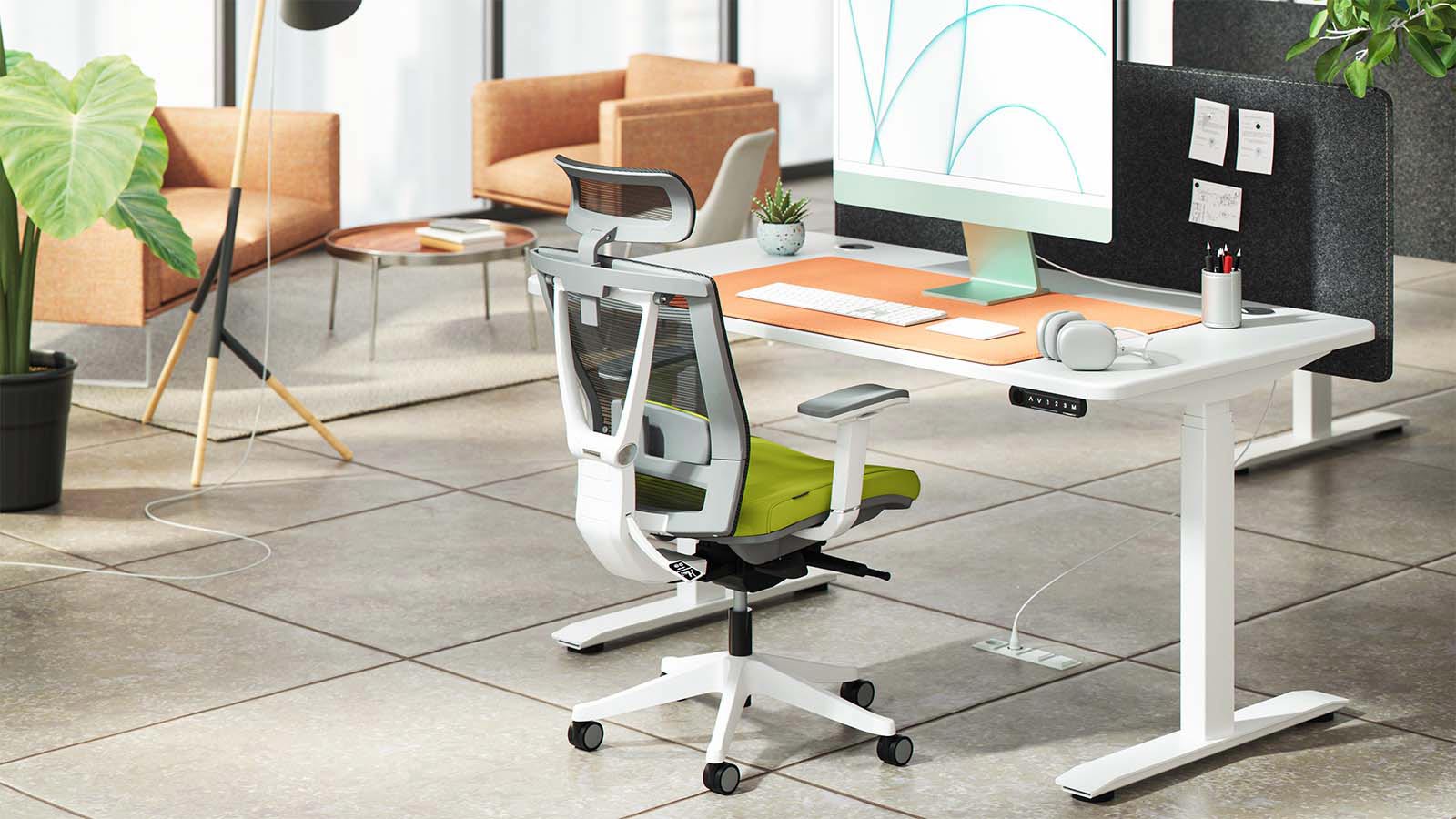
What is an Ergonomic Chair, and Why Should I Care?
An ergonomic chair is a chair designed to support the human body, considering posture, comfort, support, and health. Unlike a standard office chair that’s often a one-size-fits-all affair, an ergonomic chair is all about adjustability. It’s built to conform to you, not the other way around.
Think of it this way: you wouldn’t wear shoes that are two sizes too small, right? So why would you spend 8 hours a day in a chair that doesn’t fit your body? An ergonomic chair is a game-changer because it actively promotes good posture, reduces the risk of musculoskeletal issues, and can significantly boost your focus and energy levels. It’s not just a piece of furniture; it’s an investment in your health.
The Life-Changing Benefits of Going Ergonomic
Switching to a properly configured ergonomic setup isn’t just about feeling a bit more comfortable. The benefits ripple through your entire professional and personal life.
- Kiss Back Pain Goodbye: Proper lumbar support maintains the natural “S” curve of your spine, taking immense pressure off your lower back.
- Boost Your Productivity: When you aren’t constantly shifting around to find a comfortable position or being distracted by pain, your focus sharpens. Studies have shown a direct link between ergonomic environments and increased productivity.
- Improve Your Posture: These chairs teach your body to sit correctly. Over time, you’ll find yourself sitting taller and feeling more aligned, even when you’re not at your desk.
- Reduce Health Risks: Poor posture contributes to a host of problems, from poor circulation and digestion to increased stress on your joints and ligaments. A great ergonomic setup mitigates these risks.
Key Features of a Quality Ergonomic Chair
When you’re on the hunt, the number of options can feel overwhelming. But a truly effective ergonomic chair will have a few non-negotiable features. Here’s your cheat sheet:
- Adjustable Seat Height: Your feet should be flat on the floor with your knees at a 90-degree angle. This is the foundation of a stable posture.
- Adjustable Seat Depth and Width: You should have a gap of 2-4 inches between the back of your knees and the edge of the seat. The width should allow you to sit comfortably without being squeezed.
- Lumbar Support: This is crucial. Look for a chair with adjustable lumbar support that you can fit to the natural curve of your lower back.
- Adjustable Armrests: Your armrests should allow your shoulders to be relaxed. If your shoulders are shrugged up to your ears, the armrests are too high.
- Swivel and Casters: The ability to move and rotate easily prevents you from straining to reach for things on your desk.
The Main Event: How to Set Up Your Ergonomic Workspace Step-by-Step
Alright, you’ve got your chair. Now it’s time to dial it in. This is where the magic happens. Follow these steps to create your perfect ergonomic sweet spot.
- Start with Your Height: Stand in front of your chair and adjust the height so the highest point of the seat is just below your kneecap. Now, when you sit down, your feet should be flat on the floor, and your knees should be roughly level with your hips, forming a 90-degree angle. If your feet are dangling, use a footrest.
- Set the Seat Depth: Sit all the way back in your chair so your back is flush against the backrest. Slide the seat pan forward or backward until you can comfortably fit two to three fingers between the back of your knees and the edge of the seat. This prevents the seat from cutting off circulation to your legs.
- Dial in the Lumbar Support: This is your back’s best friend. Adjust the lumbar support’s height and depth so it fits snugly into the natural curve of your lower spine. You should feel supported, but not like something is pushing you out of the chair.
- Adjust the Armrests: Lower or raise the armrests until your forearms can rest lightly on them with your shoulders relaxed. Your elbows should be at a 90-degree angle and close to your body. This takes the strain off your neck and shoulders.
- Position Your Monitor: Now, look at your screen. The top of your monitor should be at or slightly below eye level. You shouldn’t have to tilt your head up or crane your neck down to see it. It should also be about an arm’s length away. Use a monitor stand or a stack of books if you need to raise it.
- Arrange Your Keyboard and Mouse: Place your keyboard and mouse on the same surface and close enough that you can use them with your elbows still close to your body. Your wrists should be straight, not bent up or down, when typing.
“The biggest mistake people make is thinking that an ergonomic setup is static. Your best posture is your next posture. Even with the perfect chair, it’s vital to stand up, stretch, and move around every 30-45 minutes. Your workspace should support movement, not just sitting.” – Dr. Emily Carter, Physical Therapist and Ergonomics Consultant.
Common Ergonomic Mistakes to Avoid
I’ve seen it all. Even with the best equipment, a few bad habits can undo all your hard work. Watch out for these common pitfalls:
- Perching on the Edge: You’re not using the backrest, which means your spine is doing all the work. Sit back and let the chair do its job.
- The Turtle Neck: Hunching forward to see your screen puts immense strain on your neck and upper back. If this is you, your monitor is likely too far away or too low.
- Dangling Feet: If your feet don’t reach the floor, your entire posture is compromised. Get a footrest.
- Mismatched Desk and Chair Height: If your desk is too high, you’ll shrug your shoulders. If it’s too low, you’ll hunch over. The goal is to have your elbows at a 90-degree angle when your hands are on the keyboard.
Ergonomic Chair vs. Standard Office Chair
Still on the fence? Let’s break down the key differences in a simple table.
| Feature | Standard Office Chair | Ergonomic Chair |
|---|---|---|
| Adjustability | Limited (usually just height) | Highly adjustable (height, depth, back, arms) |
| Support | Basic, generic padding | Targeted support for spine, neck, and arms |
| Posture | Can encourage slouching | Actively promotes healthy, aligned posture |
| Long-Term Health | Potential for back/neck pain | Designed to prevent musculoskeletal issues |
| Price | Generally lower initial cost | Higher initial investment, but saves on health costs |
Frequently Asked Questions
How long should I sit in an ergonomic chair at a time?
Even in the best chair, you should aim to get up and move for a few minutes at least once every hour. The 20-20-20 rule is also great for your eyes: every 20 minutes, look at something 20 feet away for 20 seconds.
Is a more expensive ergonomic chair always better?
Not necessarily. The “best” chair is the one that fits your body and has the adjustability you need. Price often reflects brand, materials, and warranty, but the most important factor is how well it supports you personally.
Do I need a headrest on my ergonomic chair?
A headrest is most beneficial for people who recline frequently. If you sit upright most of the day, it’s less critical, but it can provide nice support for your neck and head during breaks.
Can an ergonomic chair fix my existing back pain?
While it can’t “fix” a medical condition, a properly adjusted ergonomic chair can significantly alleviate pain by reducing stress on your spine and promoting a healthier posture. It’s a powerful tool for pain management and prevention.
How do I know if my posture is correct?
Check for these signs: feet flat on the floor, knees at a 90-degree angle, back resting against the lumbar support, shoulders relaxed, and ears aligned over your shoulders. It should feel natural and supported, not strained.
Your Health is Worth the Investment
Ultimately, learning how to set up your ergonomic workspace is one of the most impactful things you can do for your long-term health and daily performance. It’s about making a conscious decision to prioritize your well-being. That initial investment in a quality chair and the few minutes it takes to adjust it properly will pay dividends for years to come in the form of less pain, more energy, and better focus. Stop accepting discomfort as normal. It’s time to build a workspace that works for you, not against you.